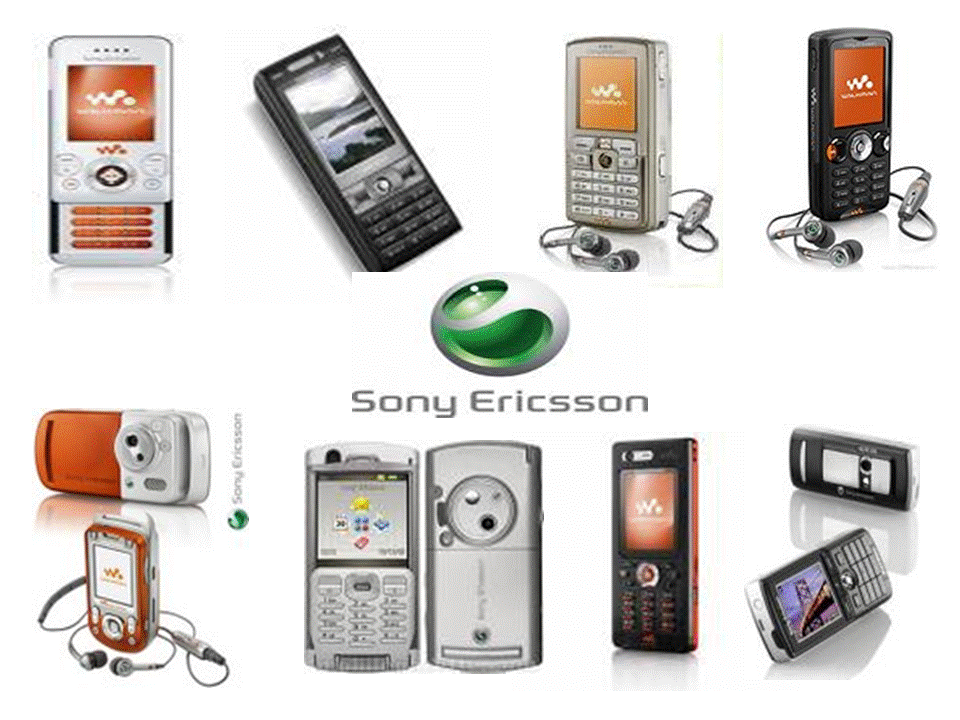
All sony ericsson stuff. Games,Applications,Tutorials,Reviews,Themes,Wallpapers,Updates Etc.

Your Ad Here

Latest Updates at AFSES:

14/5/2008
-Affordable HSPDA phones introduced.
-New games added (click on 'New Games 2008' in labels)

Your Ad Here

Tuesday, January 15, 2008

Sony Ericsson W350a announced !


Sony Ericsson W350a (Credit: Sony Ericsson)
Most Sony Ericssons tend to be on the pricey side, but every now and then the company gives us a more affordable model for the masses.


Last year it rolled out the W200a, and at CES 2008, the company announced the W350a. At 0.41 inch wide, it sports a design we haven't seen for a while. The keypad is covered by a flap that folds down when you're on a call. The flap not only protects the keypad when it's not in use but it also allows you to get the feel of a flip phone. So in essence, it's a candy-bar handset with flip-phone elements.


But the W350a's design offers another quirk as well. When closed you can access convenient Walkman controls to play your music and shuffle tracks. You also get a choice of four colors: electric black, ice blue, hypnotic black, and graphic white. Beyond the music player, the feature set is pretty average. There's a 1.3-megapixel camera, Bluetooth, messaging and e-mail, an FM radio, a 262,144-color display, a speakerphone, and personal organizer applications. The triband (GSM 850/1800/1900) W350a should be available in the fourth quarter of this year.
Specifications:

Network:
GSM 850 / 1800 / 1900
Form Factor:
Clamshell
Dimensions:
104 x 43 x 11 mm
Weight:
80 g
Antenna:
Internal
Navigation:
5-Way Keypad
Battery Type:
Li-Ion
Talk Time:
7.00
Standby Time:
300
Memory:
14.0 MB
Expandable Memory:
Memory Stick Micro

Imaging
Main Screen:
262000 colors (TFT)128 x 160 px
Camera:
1.3 MP / 4X Zoom / Video Recorder

Audio
MP3 Player:
MP3 / AAC / AAC+ / eAAC+ / m4a / PlayNow / TrackID
FM Radio:
RDS Radio
Speakerphone:
Push-To-Talk:

Multimedia
Wallpapers:
128 x 160 px
Screen Savers:
128 x 160 px
Ring Tones:
MP3
Games:
J2ME / Mascot Capsule 3D

Messaging
SMS
EMS
MMS
Email:
POP3 / IMAP4 / SMTP
Predictive Text:
T9

Saturday, January 12, 2008

Learn about acoustics of your SE

Mix your own accoustic!
A simple tutorial on mixing accoustic,
1st to know which files in accostic folder works for head phone, loudspeaker(BACK SIDE SPEAKER), front speker,AND then work will be easy for you
FOR [HEAD PHONE SOUND] THESE FILES ARE RESPONSIBLE
BVHF_PLAY.APF
BDSS_PLAY.APF
DSS_PLAY.APF
LO_PLAY.APF
PHF_1PLAY.APF
PHF_2PLAY.APF
PHF_3PLAY.APF
PHF_4PLAY.APF
PHF_PLAY.APF
VHF_2500_PLAY.APF
VHF_2501_PLAY.APF
VHF_HCE_60_PLAY.APF
VHF_PLAY.APF
FOR LOUDSPEAKER SONG PLAY THIS FILE IS RESPONSIBLE
FARFIELD_PLAY.APF
FOR LOUDSPEAKER FM PLAY THIS FILE IS RESPONSIBLE
FARFIELD_FM.APF
FOR LOUDSPEAKER GAME PLAY THIS FILE IS RESPONSIBLE
FARFIELD_GAME.APF
FOR LOUDSPEAKER RINGGING SOUND THIS FILE IS RESPONSIBLE
FARFIELD_RING.APF
FOR LOUDSPEAKER CALL SOUND THIS FILE IS RESPONSIBLE
FARFIELD_CALL.APF
FOR FRONT SPEAKER SOUND THESE FILES ARE RESPONSIBLE
HANDSET_0_CALL.APF
HANDSET_1_CALL.APF
Now open any accoustic folder like 'black ice wow', 'toshara', 'tvh' etc then mix upon your need!!
(info source unknown)

Activate TechMode in your phone

2 ways to activate TechMode:
enter *585*0000# in standby mode + Send button
enter *585*0000 in standby mode + Call button
You will see on the screen:
TechMode started
Go to My Shortcuts -> you will see TechMode application.
You can see the TechMode application in Settings->Mobile Networks.
There are 3 screens in TechMode:
- GSM Channel
- GSM AMR
- GSM GPRS
What is techmode?
TechMode screen looks like this:
GSM Channel
A BBB CC -DD EEEEF G
HHHH I JJJ K LL MM
NNN OO PP QQQ RR SSSS
TTT TT UUU UU VVV VV
WWW WW XXX XX ZZZ ZZ
In stanby mode shows only bold marked parameters.
A - current type of service:
B - Broadcast control channel
S - Standalone dedicated control channel
T - Transfer channel
F - Frequency Hopping
BBB - number of current channel:
001...124 - GSM900
512...885 - DCS1800
974...1023 - EGSM900
9999 - no signal
CC - no info, seems like it depends of operator settings
-DD - Rxl (recieve level): -40dBm...-117dBm, -40 is strongest signal
EEEE - Cell ID
F - Cell sector number
G - no info (my phone shows 1 or "---" when phone hopps to other cell. Shows 2 with another SIM. When I switched phone to another operator network 93)HHHH - seems like another channel
I - no info (in my phone almost always 4, possibly fiquency of phone registration at network)
JJJ - no info, range 0...31
K - no info (seems like Timeslot number)
LL - no info (seems like time advance, range 0...34)
MM - no info
NNN - rate of speech codec:
HR - half rate
FR - full rate
EFR - enhanced full rate
OO - no info, range 0...95 (possybly RxQual)
PP - no info, range 0...83
QQQ - network country code (NCC)
RR - operator code (MNC)
SSSS - Location area code
TTT TT, UUU UU, VVV VV, WWW WW, XXX XX, ZZZ ZZ - numbers & Rxl of the best alternative channels
Code *585*0000# tested & working fine on following handsets:
SE K750 - R1CA021
SE К750 - R1DB001
SE K750 - R1BC002
SE K600 - R2BA019
SE D750i - R1BC002
SE W800 - R1BC002